Payer-hospital data validation
Last updated: May 28, 2026
Hospitals and payers publish price transparency files under different regulatory requirements — hospitals comply with the Hospital Price Transparency (HPT) rule and payers follow the Transparency in Coverage (TiC) rule. Although each rule requires distinct data fields, there are meaningful overlaps in the negotiated reimbursement rates found in both hospital and payer datasets.
At Serif Health, we leverage these overlaps to cross-validate payer-published negotiated allowed amounts against negotiated rates disclosed by hospitals where possible to increase confidence in the rates you're pulling.
Hospital data validation label
Now, in payer data mode, TiC hospital rates that have a matching HPT hospital rate (based on the same code, provider, payer, and payer class) will display an informational pop-out label containing:
HPT and TiC Confidence: Our confidence in the payer-hospital rate match
High confidence: the absolute difference between the matched TiC and HPT negotiated rates is within 5% (i.e., |TiC / HPT − 1| ≤ 0.05)
Medium confidence: the absolute difference between the matched TiC and HPT negotiated rates is greater than 5% and less than or equal to 30% (i.e., 0.05 < |TiC / HPT − 1| ≤ 0.3)
Low confidence: the absolute difference between the matched TiC and HPT negotiated rates is greater than 30% (i.e., |TiC / HPT − 1| > 0.3)
TiC negotiated rates without a matching HPT negotiated rate would not have a hospital data validation label
HPT and TiC Difference: The variance between the TiC and HPT negotiated rates
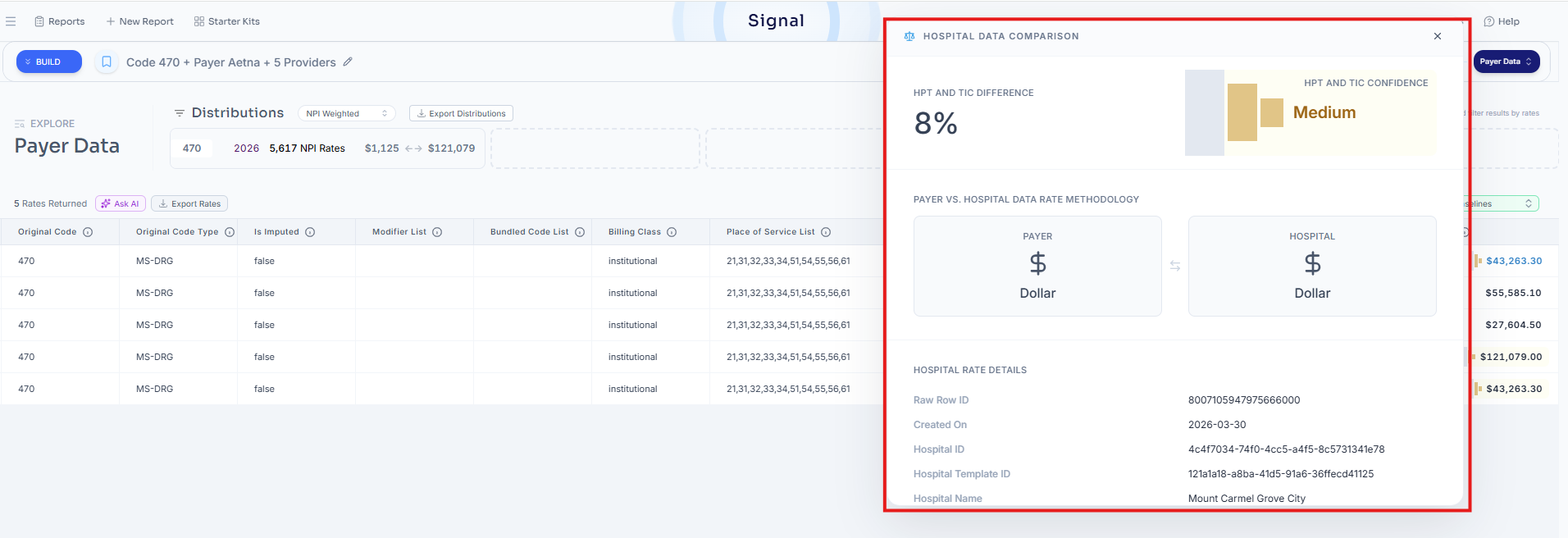
Additionally, within the informational pop-up panel, users would be able to view:
Payer vs. hospital data rate comparison methodology:
Payer=Dollar | Hospital=Dollar
Payer=Dollar | Hospital=Percent
Payer=Percent | Hospital=Dollar
Payer=Percent | Hospital=Percent
For example: If a payer posted a negotiated percentage and a hospital posted a negotiated dollar value, the payer negotiated percentage would be translated into a dollar amount by multiplying the gross charge in the HPT data for comparison (i.e., Payer=Percent | Hospital=Dollar)
Hospital rate details (same parameters as our Hospital Data Mode output): Read more here.
Data export
Now, when you output the data as a .csv file, you'd have the ability to include Hospital Data Cross Referenced Fields.
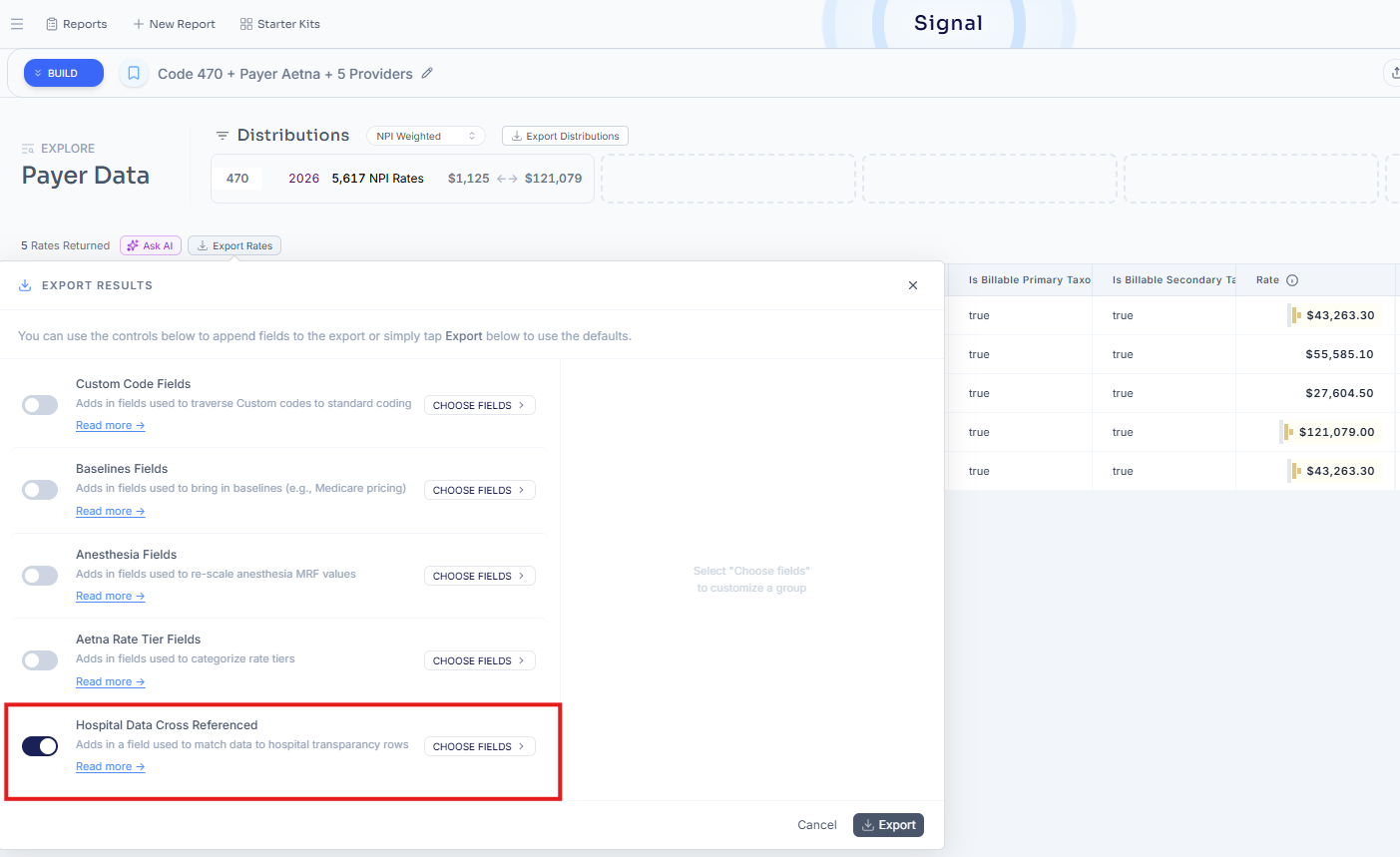
Selecting "Hospital Data Cross Referenced" will include eight additional columns in your .csv file:
HPT_ID
HPT_Dollar
HPT_Comparison_Type
HPT_Comparison_Diff
HPT_Charge_Gross
HPT_Percentage
HPT_Translate_Hospital_Percentage
HPT_Translate_Payer_Percentage
Read our Payer Data Dictionary to learn more about those fields.