Custom Utilization Weighting in Payer Peer Service Lines
Last updated: July 23, 2026
Payer Peer Service Lines now supports both claims utilization weighting using either our representative national claims library or your own custom claims utilization data.
Based on your uploaded custom utilization file, the payer peer service lines output will update accordingly by assigning different weights to different procedures.
How to access and upload
In payer peer service lines mode, within the "weight by" filter, users can now upload custom utilizations. Users need to ensure "weighted average" is selected in the "See results by" filter, as custom utilization weighting is only available with weighted averages.
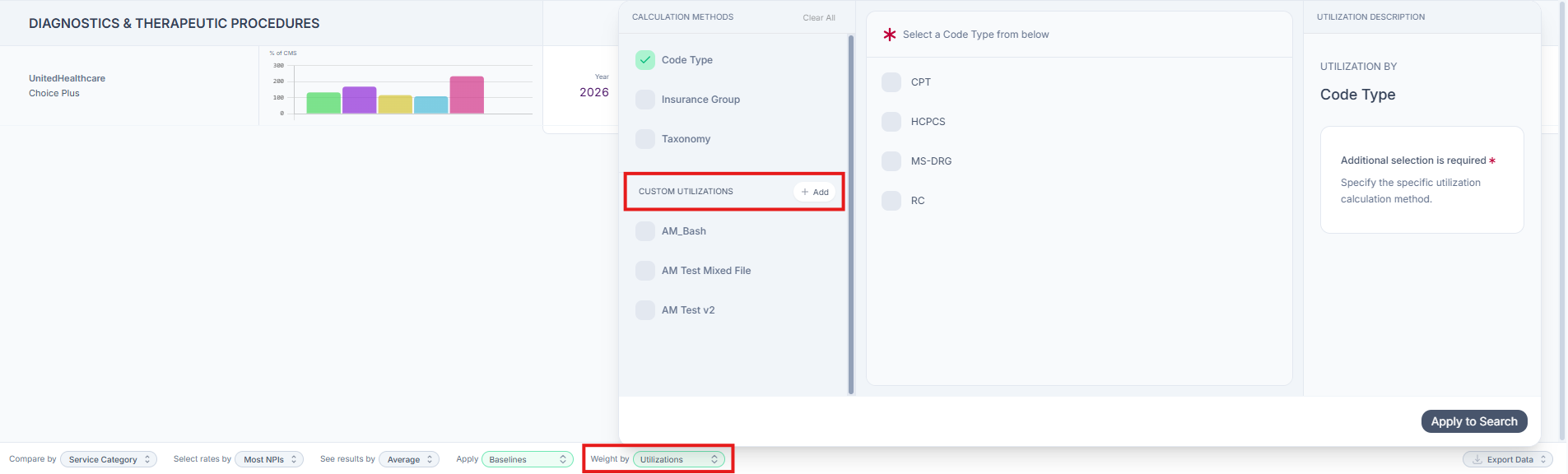
Click "Add" to:
Download the custom utilization template
View formatting requirements for each field
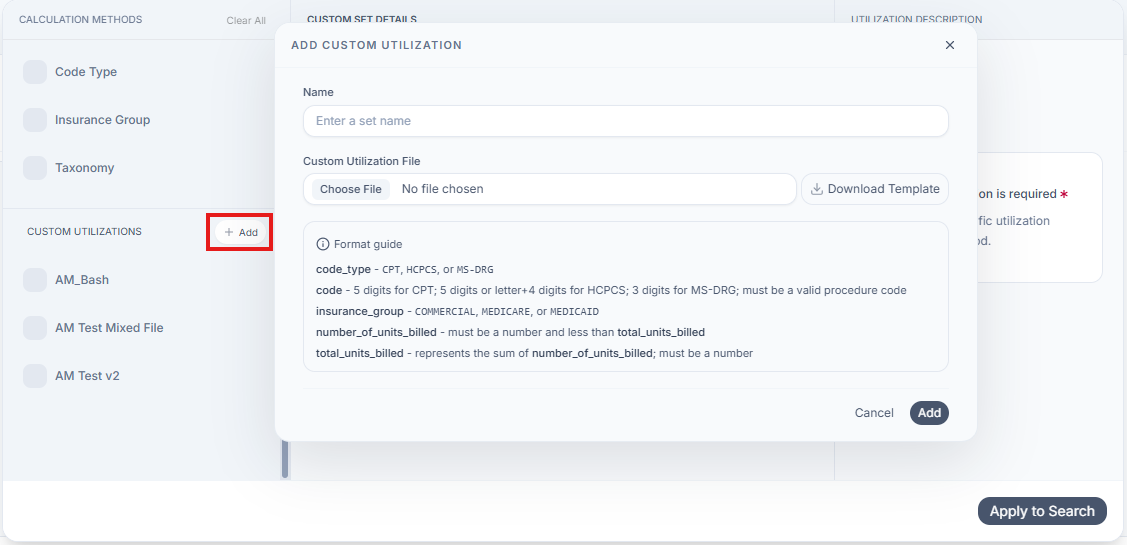
Required template fields:
Your uploaded file must include the following fields per the provided template:
Code: 5 digits for CPT; 5 digits or letter+4 digits for HCPCS; 3 digits for MS-DRG; must be a valid procedure code
Code type: CPT, HCPCS, or MS-DRG
Insurance group: COMMERCIAL, MEDICARE, or MEDICAID
Number of units billed: Must be a number and less than total_units_billed
Total units billed: Represents the sum of number_of_units_billed; must be a number
Note: Uploaded files must follow the required template and formatting rules. Files that do not meet these requirements cannot be used for custom utilization weighting.
Updating a Custom Utilization File
After a custom utilization file has been uploaded, it cannot be edited within Signal. To make changes, update the file offline and upload it again as a new custom utilization file.