Payer-claims data verification
Last updated: November 13, 2026
Payer-published negotiated rates under the Transparency in Coverage (TiC) rule can be ambiguous (e.g., multiple rates appearing for the same payer-provider-procedure combination), making it difficult to assess their reliability. Claims data can help validate these rates by comparing them against actual billed, allowed, and paid amounts. Serif Health has procured a national claims dataset and matched it against TiC rates to directly validate results you see in Signal.
Claims data validation label
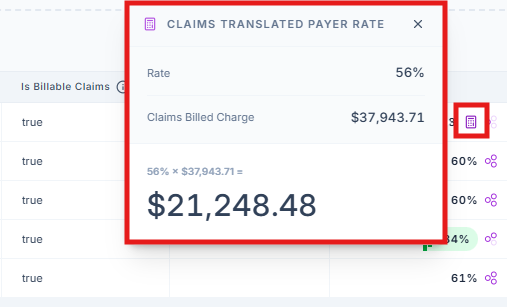
Now, in Payer Data "Explore" mode, TiC rates that have matching claims rates will display a C in the Rate column. We define "matching" as a TiC rate within 5% of the allowed amount on the claim(s). Clicking the C opens an informational pop-out containing:
Claims Comparison Difference: the absolute variance between the TiC negotiated rate and the matched claims allowed amount
Claims Matched On: the claims rate type that's used to validate the TiC rate, either Plan Allowed or Plan Paid
Claims Total Count: the total claim count backing the matched claims observation
Payer vs. Claims Rate Methodology: a label describing how the payer and claims values were compared. Possible values:
Payer=Dollar | Claims=Dollar
Payer=Percent | Claims=Dollar
For example: if a payer posted a negotiated percentage, the percentage would be translated into a dollar amount by multiplying it by the claims billed charge for comparison (i.e., Payer=Percent | Claims=Dollar)
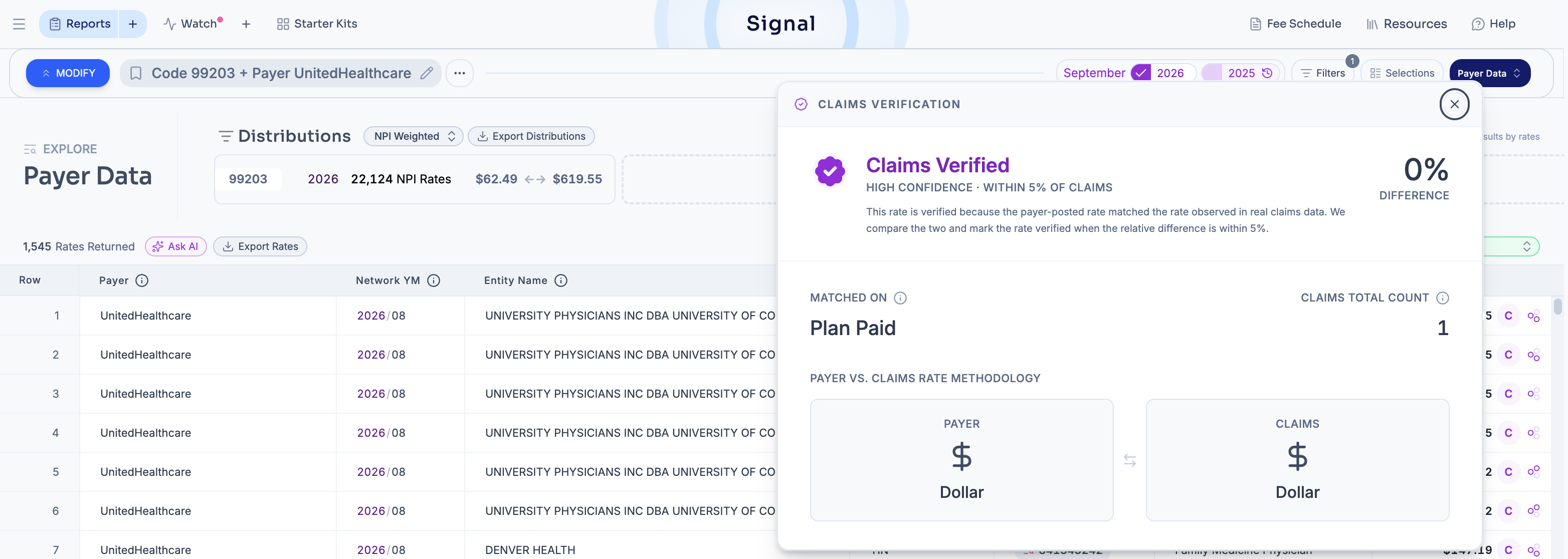
Additionally, to the left of the Rate column, there is now a new column for Claims Billed Charge which shows the corresponding provider billed charge amount from claims for each row of TiC data.
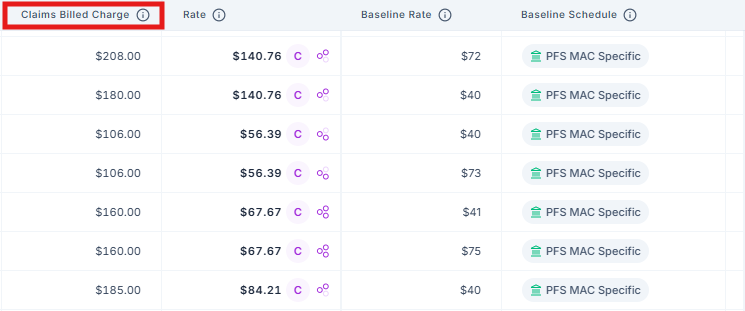
Translated payer rates (percentage to dollar)
Using claims billed charges, we can now convert a payer-published percentage rate (% of billed charges) into dollar amounts. For applicable TiC data in payer data mode, you'll see a calculator icon that details the underlying math of the translation.
Claims data advanced filtering
Note: All of our negotiated, allowed amounts displayed in Signal are claims-backed
To see only claims-verified TiC rates for providers in our claims database, open Advanced Filters, and under Rate Confidence toggle on Verified by Claims. This filter will significantly cut down your results to providers who are actually billing this code, and only return data when the difference between the claims-observed rate and payer-posted rate is less than 5%.
< insert screenshot >
Data export
Now, when you output the data as a .csv file, you have the ability to include Claims Data Cross Referenced fields.
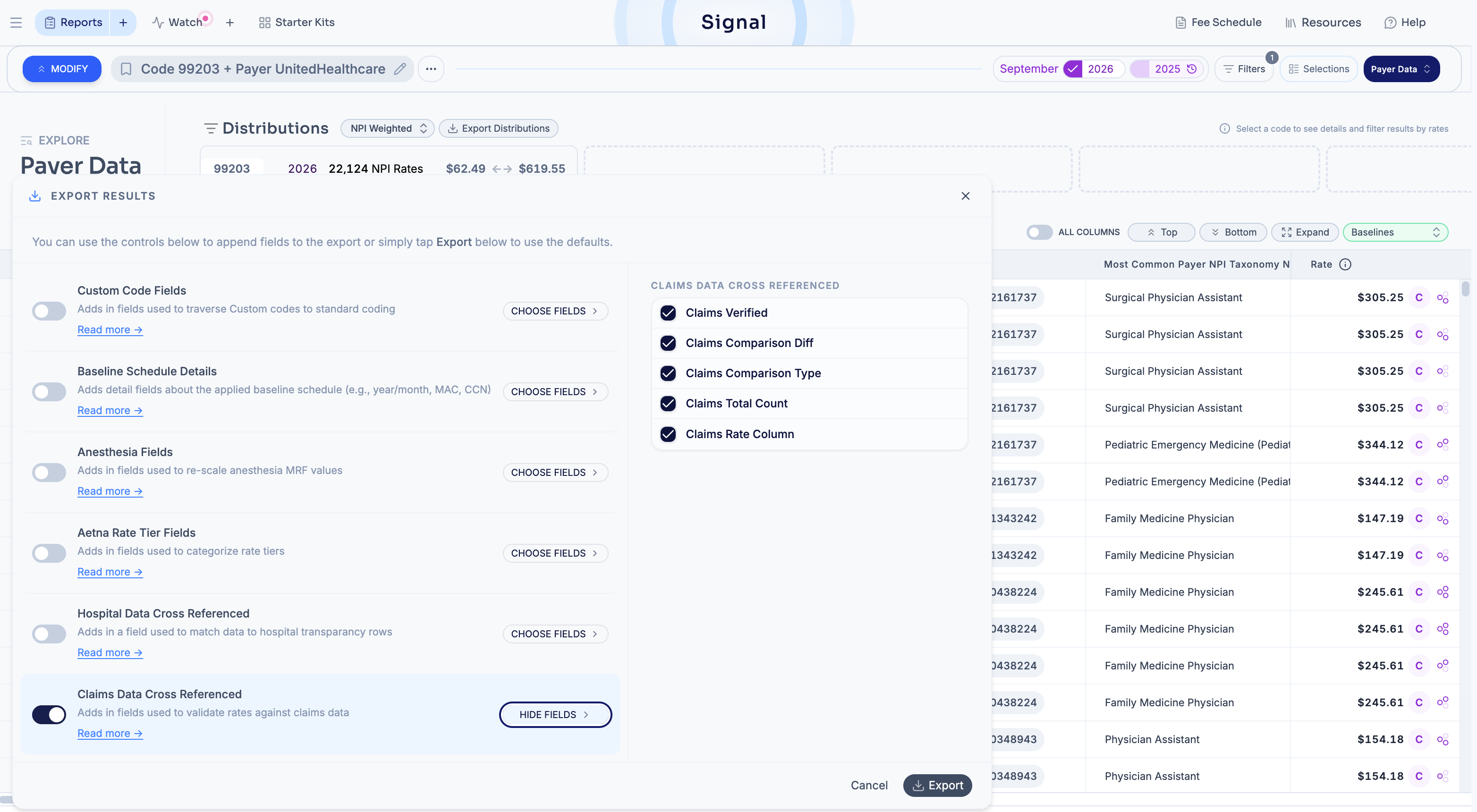
Selecting "Claims Data Cross Referenced" will include five additional columns in your .csv file:
ClaimsVerified
ClaimsComparisonDiff
ClaimsComparisonType
ClaimsTotalCount
ClaimsRateColumn
Read our Payer Data Dictionary to learn more about those fields.